Monitoring Websites and Services with Uptime Kuma on a VPS
Monitoring only becomes truly useful when alerts reach you at the right moment. A dashboard is helpful, but I’m not actively watching a status page all day. That’s why I connect Uptime Kuma to the communication platforms I already use every day.
Uptime Kuma supports notifications to services like Discord, email, and other channels. This allows me to receive status updates directly where I’m already active, without adding extra tools or friction to my workflow.
What is Uptime Kuma?
Uptime Kuma is a self-hosted monitoring tool that allows you to track the availability and performance of websites, APIs, and services. It provides a clean dashboard where you can see uptime history, response times, and current status at a glance — without relying on external SaaS monitoring platforms.
One of the biggest advantages is that you fully control where it runs and how it’s configured. No vendor lock-in, no usage limits, and no data leaving your own infrastructure unless you explicitly want it to.
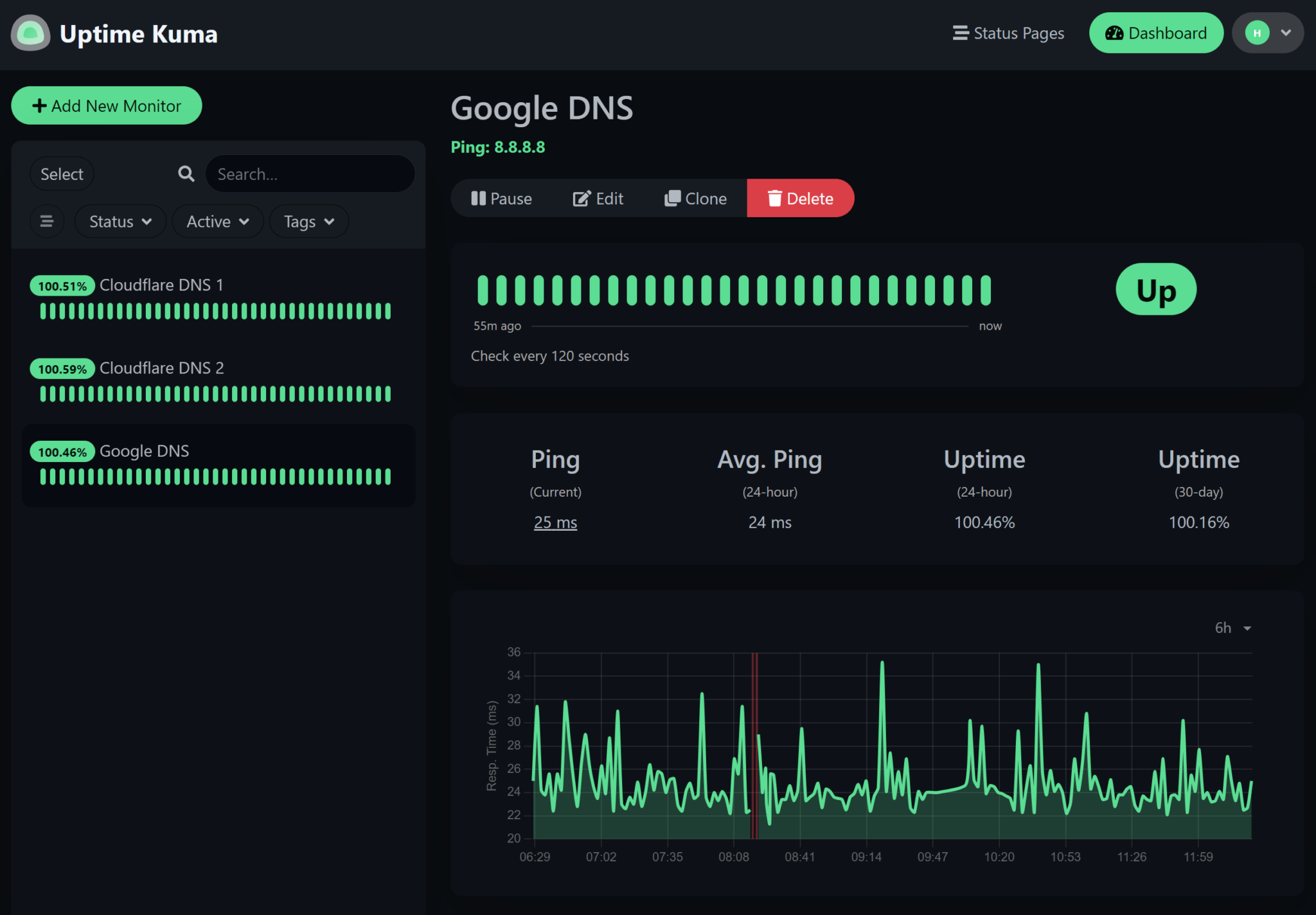
What Uptime Kuma can monitor
Once running, Uptime Kuma supports multiple types of checks, including:
- HTTP / HTTPS endpoints
- TCP ports and services
- Ping checks
- Keyword and status-code monitoring
- API endpoints with response-time tracking
Each monitor can have its own interval, retry logic, and notification rules, which makes it flexible enough for both small side projects and production environments.
From monitoring to immediate action
With notifications routed to my preferred platforms, downtime or service degradation rarely goes unnoticed. Whether it’s a website going offline, an endpoint timing out, or a service becoming unreachable, I’m informed almost instantly.
That immediacy changes how you respond. Instead of reacting late or discovering issues by coincidence, I can often take action before anyone else even notices something is wrong.
Flexible notifications per project and environment
Not every alert has the same level of urgency, and Uptime Kuma handles that well. Notifications can be configured per monitor or per group, which allows me to differentiate between critical production services and less important projects.
Important sites send alerts straight to my primary channels, while lower-priority checks remain quieter or simply log events. This keeps notifications meaningful and prevents alert fatigue — when a message comes in, it actually matters.
Monitoring as part of my daily workflow
By integrating Uptime Kuma with my communication platforms, monitoring no longer feels like a separate system. It becomes part of my daily workflow. Status information comes to me automatically, instead of requiring me to actively check dashboards.
That fits perfectly with how I prefer to work: tools should support focus, not demand attention. Monitoring should run quietly in the background, but be immediately visible when something requires action.
Confidence through visibility
The biggest benefit isn’t just speed — it’s peace of mind. I know that if something goes wrong, I’ll hear about it. No silent failures, no unexpected surprises, and no reliance on chance discovery.
In that sense, Uptime Kuma isn’t just a monitoring tool for me. It’s a direct extension of my communication and decision-making flow.