My own hosting environment with HestiaCP and a VPS
Over the years, I’ve noticed that traditional hosting solutions start to get in the way as soon as your projects grow. Shared hosting is limited, slow, and offers little control. On the other end of the spectrum, managed or per-website hosting packages quickly become expensive — especially when you manage multiple client sites and personal projects.
That’s what pushed me to take a different route: building my own hosting environment using a VPS and HestiaCP.
In this post, I’ll explain what HestiaCP is, how I use it to host websites, and why this setup gives me more control, flexibility, and cost efficiency.
What is HestiaCP?
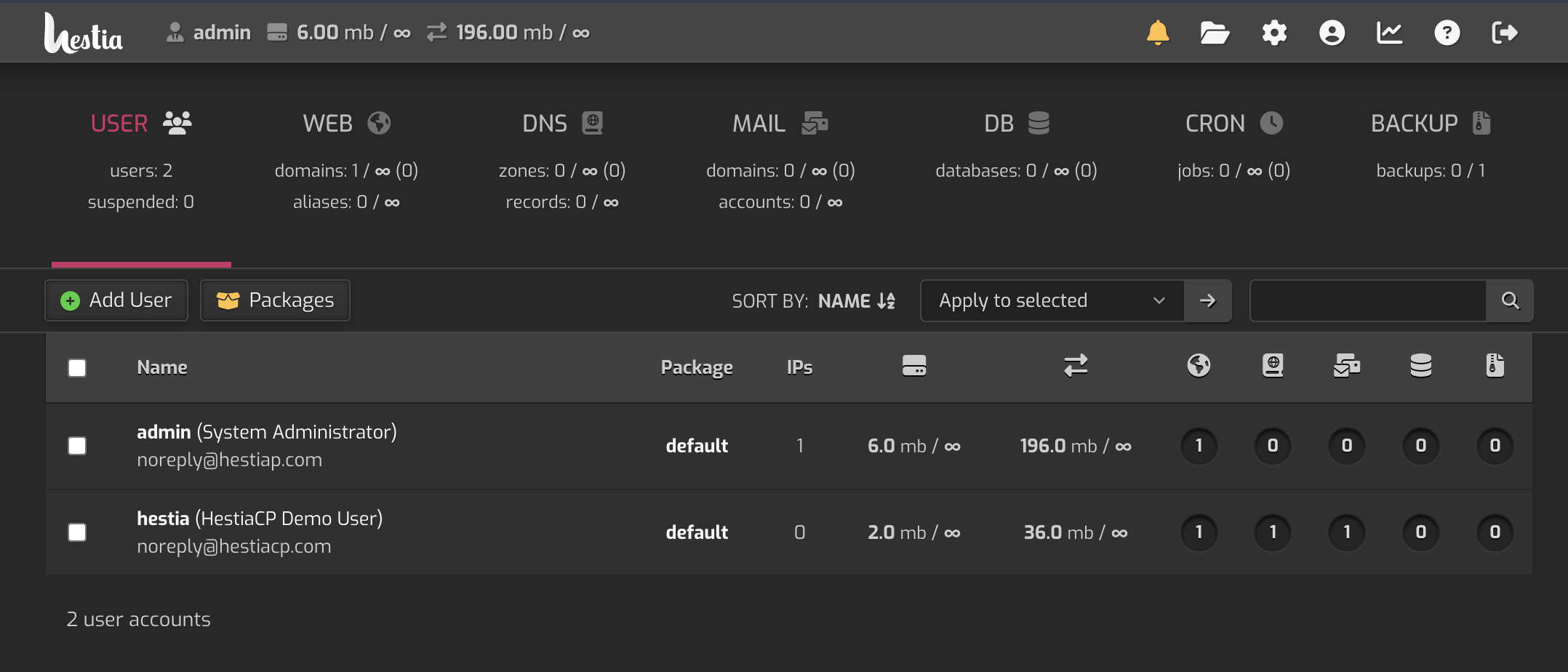
HestiaCP is an open-source server control panel that you install on a VPS (Virtual Private Server). It provides a clean web interface for managing websites, databases, email, DNS, and users — without having to do everything manually through the command line.
You can think of HestiaCP as a lightweight alternative to commercial panels like cPanel or Plesk. It runs on Linux (commonly Debian or Ubuntu) and uses technologies like Nginx, Apache, PHP-FPM, and MariaDB/MySQL under the hood.
Why I moved away from shared hosting
Shared hosting worked fine when I only had one or two simple websites. But as the number of projects increased, the limitations became obvious:
- Limited performance and server resources
- Little to no control over configuration
- Paying per website or per hosting package
- Being dependent on the provider’s choices
For client websites, I want predictable performance and the ability to intervene when needed. For my own projects, I want freedom to experiment, optimize, and learn — without hitting artificial limits.
My setup: VPS + HestiaCP
My current setup is intentionally straightforward:
- A single VPS with a cloud provider
- HestiaCP as the control panel
- Multiple websites (client sites and personal projects)
- Separate users per client or project
With HestiaCP, I manage:
- Domains and subdomains
- PHP versions per website
- Databases and backups
- SSL certificates via Let’s Encrypt
- Email accounts (when required)
This works extremely well for WordPress websites. I can fine-tune performance per site, monitor resource usage, and stay in full control of the environment.
Cost efficiency and scalability
One of the biggest advantages is cost efficiency. Instead of paying for multiple hosting plans, I now pay a single fixed price for my VPS. Whether I host five or twenty websites doesn’t fundamentally change the cost.
At the same time, the setup scales easily:
- Need more resources? Upgrade the VPS.
- New client? Create a new user.
- New project? Add another domain.
No migrations between hosts, no separate invoices per website, and no unnecessary limitations.
Full control (and responsibility)
Running your own hosting environment also means taking full responsibility. Updates, security, and monitoring are no longer someone else’s job. But that’s exactly what I value about this approach.
I know how my environment is built and why certain decisions were made. HestiaCP removes much of the repetitive complexity while still allowing full freedom to customize the underlying system when needed.
Who is this setup for?
This approach makes sense if you:
- Manage multiple websites (for yourself or clients)
- Want more control than shared hosting can offer
- Want to reduce long-term hosting costs
- Are willing to take responsibility for your own server
It’s not a one-click solution like basic hosting, but it’s also far from an over-engineered enterprise setup.
Final thoughts
For me, HestiaCP combined with a VPS hits the sweet spot between control, flexibility, and simplicity. It allows me to host WordPress websites efficiently, manage client projects in one place, and deepen my understanding of server infrastructure along the way.
In future posts, I’ll dive deeper into configuration, security, and optimization. Consider this article an introduction — and hopefully an invitation to explore running your own hosting environment.