Why Nginx Proxy Manager is my default for multi-app servers
Let me clear something up right away: I’m not an Nginx expert. I roughly understand what it does, I know what a reverse proxy is, and I can usually figure things out well enough to move forward — but that’s where it ends. And honestly, I’m perfectly fine with that.
That’s exactly why I ended up using Nginx Proxy Manager. Not because I want to understand or tune every last detail, but because I want to run servers with multiple applications without constantly diving deep into infrastructure.
What Nginx Proxy Manager is to me
For me, Nginx Proxy Manager is mainly a control center. Everything that comes into a server over HTTP or HTTPS passes through there. I tell it once: “this domain belongs to that application,” and after that I can mostly forget about it.
I know Nginx is running underneath, but that’s not the layer I want to live in day to day. I’m not editing configuration files or worrying that a single typo will break everything. I click, fill in a few fields, and move on to what I actually want to work on.
That doesn’t feel lazy — it feels focused.
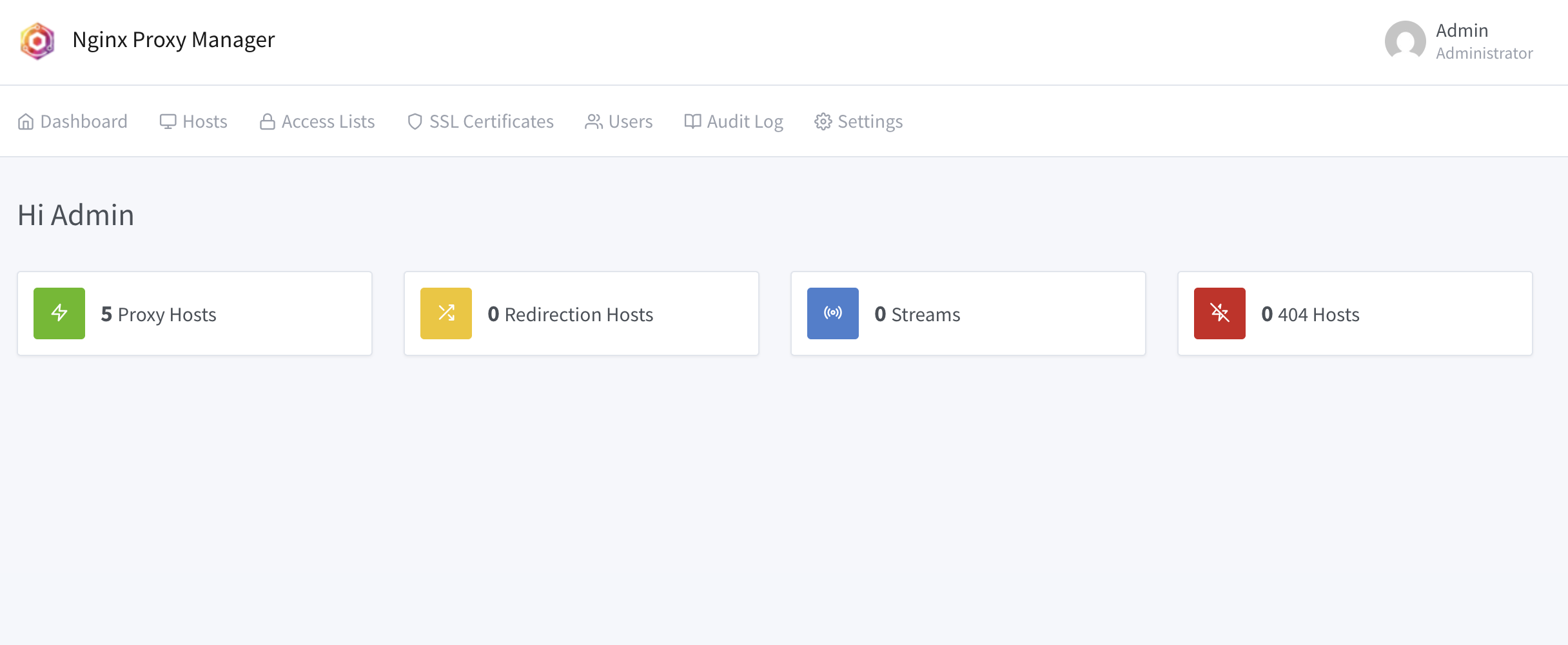
How I ended up using it in the first place
At first, I did what a lot of people do: one application per server, or everything running on different ports and just remembering where things lived. That works fine when things are small.
But once you start running multiple sites, tools, and experiments on a single machine, it gets messy. I realized I wanted one fixed entry point. One place that says: everything that comes in, gets handled here.
Nginx Proxy Manager was one of the first tools where I thought: okay, this makes sense immediately. No steep learning curve, no heavy documentation just to get started. Within a short time, I had my first domain live — with HTTPS. That was the moment it clicked for me.
Why it’s so nice to use day to day
What I probably appreciate most is the mental calm it brings. I don’t have to remember how I solved something “last time.” Everything is visible in one place.
SSL is a good example. I know HTTPS matters, but I have zero desire to re-learn how certificates, renewals, and edge cases work every time. With Nginx Proxy Manager, it’s just part of the flow. Add a domain, enable a certificate, done.
Temporary things are easy too. A test environment, a small internal tool, a quick demo — none of that feels like an infrastructure project. It’s just a few minutes of setup.
What I use it for in practice
On my servers, there’s almost always more than one thing running. Websites, small APIs, internal tools, sometimes something I’m just experimenting with. Internally, things can be as messy as they need to be. Externally, I want everything to stay clean and predictable.
Nginx Proxy Manager is the glue in between. It connects domains to applications, takes care of HTTPS, and handles simple things like redirects. It’s a stable layer I can rely on, while everything behind it is free to change.
Why this fits me better than configuring Nginx myself
I’ve tried configuring Nginx completely by hand. It worked, but it always felt tense. Every change came with a bit of stress: will this still work afterward? And a few months later, I often had no idea why something was configured the way it was.
With Nginx Proxy Manager, I don’t have to play that role. I don’t need to be an expert to still have a clean and secure setup. It doesn’t force me to understand everything, but it also doesn’t get in the way if I want to learn more later.
That matches how I work. I want to build things, combine them, and sometimes throw them away again — without my infrastructure becoming a blocker.
In closing
For me, Nginx Proxy Manager isn’t an ideological choice, it’s a practical one. It helps me run multiple applications on a single server without constantly dealing with the surrounding details.
I don’t have to be an Nginx guru to still have clarity, peace of mind, and HTTPS everywhere. And as long as that’s true, Nginx Proxy Manager will remain a fixed part of my stack.